
Retail & office electronics
Source digital signage displays from China
Commercial digital signage needs defined hours, ambient visibility, orientation and content workflow. Compare a screen, media player, mount and remote management as one installed package. Test playback and recovery from power or network interruption before confirming the final display package.
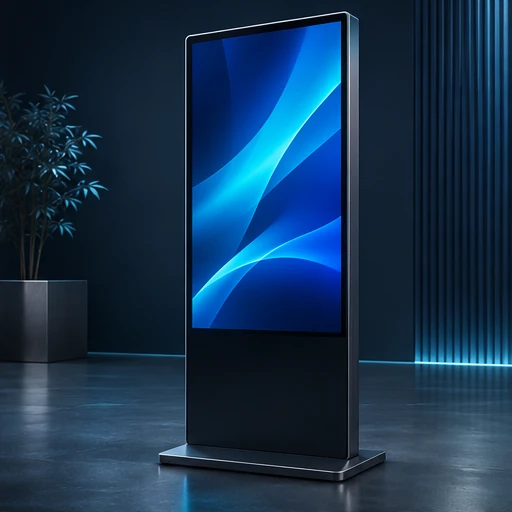
Digital Signage Displays by application
Choose the format that fits your buyer’s environment, operating requirements and support plan. Use the exact model identifier in every quotation and sample request.
Indoor menu or reception display
Assess readability, mount, audio, content updates and daily use schedule.
Portrait kiosk display
Validate landscape or portrait support, touch input if offered, cabinet heat and connectivity.
High-brightness window display
Check legibility and heat at the actual window, with ambient light and airflow modeled.
Inside and outside the product
Explore the enclosure, interfaces and internal assembly. Open each component to see what it does and which design details affect sourcing.
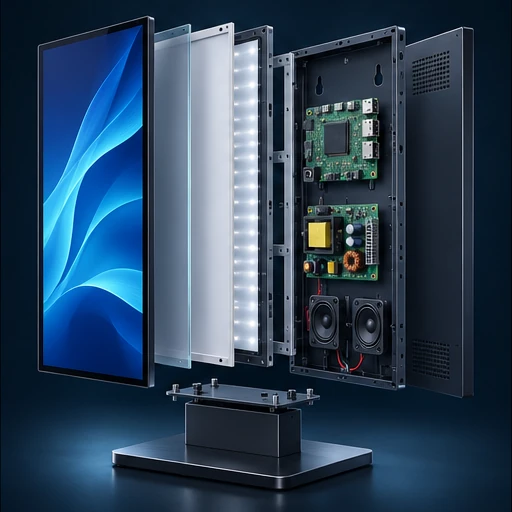
Panel and backlight
Create the image and determine viewed brightness and uniformity in the installation.
Display controller
Drives panel modes and switches inputs or playback.
Media player
Runs playlists or content software and may store content offline.
Power and cooling
Maintain operation through long schedules and enclosure heat.
Mount and enclosure
Establish orientation, cable routing and service access.
Digital Signage Displays specification table
Ask each supplier to state a proposed value, supporting evidence and any deviation for the exact model it quotes. Measure samples under the same operating conditions before confirming the final configuration.
| Parameter | Specify or request from the supplier |
|---|---|
| Visibility | State distance, ambient light, native resolution, brightness and anti-glare needs. |
| Duty and orientation | Verify tested use hours, operating temperature, heat and portrait or landscape operation. |
| Content | Define codecs, scheduler, offline playlist, CMS, licenses and security. |
| Network and inputs | Check Ethernet, radio, control, audio, touch and display connectors. |
| Mechanical | List mount, service access, cable path, height and installation. |
| Service | Specify panel and media player spares, warranty and configuration records. |
Compare the offer line by line
Quote mount, software subscription, player and replacement stock. Confirm responsibilities for installation, firmware and remotely managed content.
Record unit price, minimum order by configuration, sample cost, lead time and quoted handover terms. Use the China import quotation checklist to compare the cost and inclusions of each offer.
From sample to shipment inspection
Agree the sample, test method and acceptance limits before releasing a production order. Build the report around the product’s expected use and the components that can change between lots.
Real-site playback
Mount sample or emulate installation. Verify content legibility, startup, offline playback and stability over intended duty.
Pilot release
Lock panel, player, firmware and mounting kit, confirm package and CMS handover.
Shipment check
Inspect display uniformity and finish, touch, ports, player, label and mounting stock.
See how supplier selection and inspection coordination fit into the MOEWORLDWIDE sourcing process.
Documentation, packing and export
Document review
Review applicable display electrical and energy requirements for the exact model. Request operating-hour and orientation support and any radio evidence by configuration. Confirm signage software and content licensing.
Freight and carton details
Require reinforced packing and safe panel orientation, with mounts protected from the screen. Keep portrait kit, player and cables identified by carton.
Confirm the commercial invoice, packing list, delivery term, cargo handover and any destination-specific documents with the parties responsible for the shipment.
Request a sourcing quote for digital signage displays
Share the details below so MOEWORLDWIDE can compare offers on the same scope, including the supplied configuration, documentation, inspections and delivery terms.
- Application and market. Identify the indoor menu or reception display, portrait kiosk display or another configuration you are evaluating, and name the destination country and receiving city or port.
- Product specification. Include your target values for visibility, duty and orientation, content and attach a current drawing, reference unit or datasheet if available.
- Order and packaging. List quantity by model, trial order size, likely repeat volume, required pack languages, accessories and target delivery date.
- Evidence and terms. List required reports, sample approvals, inspection scope, warranty expectations and preferred freight handover point.